Showing posts with label *Publishing. Show all posts

Monday, 31 March 2025

eBook How-To Updates for 2025

Tablet with cover of "Cat's Call by Natasha Duncan-Drake" showing, on a wooden table, next to the title "eBook How-To Updates 2025"

eBook How-To Updates for 2025

So my pages on where to upload eBooks and how to format an eBook have needed updating for a while and I have finally gotten around to it. One has completely changed, since my methods for creating eBooks is now totally different, and the other has more information and some other changes. I hope someone might find the information useful, since when we're first starting out this can all be a bit of a mystery. 

Where to Publish eBooks

Updates include:

  1. the addition of what every site requires to upload an eBook
  2. swapping out Smashwords for Draft2Digital as an aggregate site to publish to all the eBook sellers after their merger

How to Format Your eBook for Kindle, Draft2Digital & Google Books (2025)

Whole new page with all the steps I now take to create eBooks for distribution to all major eBook publishers.

This includes:

  • a link to the Kindle Create plugin for Word that Amazon KDP no longer support, but that still works a treat.
  • example Word files using the default 4 KDP templates for eBooks for those not interested in the plugin
  • and step by step instructions on how I have found it most efficient to go about the whole process.


Check Out My Fiction YouTube Channel

Tales with Tasha - YouTube

Each week we have a theme and so there will be something for all tastes.
  • ๐ŸŽคMicro stories/ jokes as YouTube Shorts Monday - Sunday- for fun quick viewing
  • ๐Ÿ•ฎA longer story every now and then for story time, over coffee or before going to bed

Tasha's Social Media

๐Ÿ“šJoin My Newsletter๐Ÿ“š


Receive 2 FREE eBooks just for signing up and a free short stories on Free Fiction Fridays.


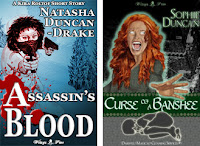
Two books covers - one with a woman firing guns above the title "Assassin's Blood" the other with a woman screaming and glowing with the title "Curse of a Banshee"

List hosted on MailChimp, information will only be used for Newsletter contact, and we do not send spam.

Monday, 19 April 2021

Many Exciting Things!

Blue explosions on a white background with the words "Many Exciting Things" over the top.

Many Exciting Things

So much is going on at the moment. Lots of exciting stuff, so I thought I would post an update.

Youtube

I am preparing to lauch my new Youtube channel Tales with Tasha. For this one I want to have everything ready well in advance, rather than winging it even remotely and it has taken far longer than I was expecting. There are spreadsheets, lovely people, lots of spreadsheet, which make me happy because there is just something about organising things in spreadsheets that it so satisfying.

I know, peak nerd, but it feeds the part of my soul that isn't wildly chaotic author ๐Ÿ˜‚.

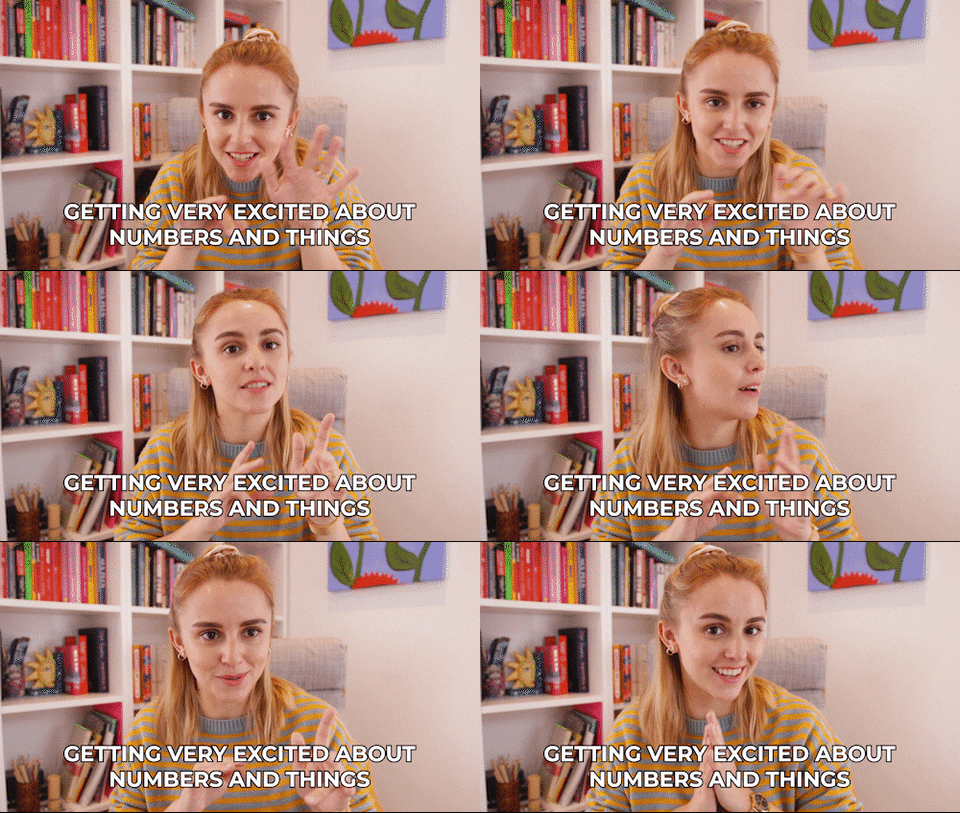
Hannah Witton - Getting Excited about Numbers and Things
Hannah Witton - from giphy

I'm starting it off as a fiction channel, so my first job was organising all the fiction. There will be new stories as well, but also lots of my already written stories are being given the Youtube treatment. Youtube does not like mature content, so there were some that were simply unsuitable.

I have lists that categorise everything I have ever written by:

  • genre - so I can make sure there is a variety
  • length - so I can decide about episodes etc
  • rating - it's my own broad rating scheme: All, PGish, 12ish and Teen
  • seasonality - like Christmas, Valentines or Halloween
  • editing needed - Youtube is touchy about some things, so some stories needs gentle editing and others need whole scenes redoing.
and more that I will not bore you with. It's been a useful exercise in more ways than one because it includes everything, paperbacks, ebooks, online published, giveaway fiction etc, even though most of the fiction I intend to use on the channel are stories that are not the ones I have published on Amazon.

More details will be forthcoming very soon. I am almost ready to start recording!

My New Office

One of the things I need for the Youtube channel is a recording space and now I have it. 
Black box lighting up with the word "Recording in red"
via giphy

We had a back room we have used for storage for all the time we have lived in our house. It used to be a bedroom back in the day before we owned the house, but it was cold, dingy and full of polly boxes. The room was part of the original extension put on the house some time before 1964, but there are no records to say when. It still had its original wall paper and carpet.

My amazing, DIY-ly gifted husband has transformed it into a new office for me. It's been insulated, had a new floor on top of the old one which was drafty and not flat, had a new loft hatch put in so he can insulate the roof space too, been carpeted and decorated and had new lights.

It looks awesome, and I will post piccies, but not quite yet. Rob also heavily suggested it was time for me to have a new phone when he tried to install the ap to control my new lights and it went 'nope', because my current one is getting so old is can't run lots of things. That is arriving this week, and it has a far better camera, so I am waiting to take some piccies then ๐Ÿ˜‰.

The office is now the warmest room in the house and I love it - so do the cats.
Cat looking out a window.
Ruby enjoying the view from the window.

Most important item of furniture in the room.

New Book

While I am working on new fiction, I also have a Word Search book in the pipeline. I was trying to think of a new way to get my other books under the noses of new readers and it struck me, that people like puzzles. So each word search is based around a book. People can have fun with the word searches and, fingers crossed, I might be able to entice a few over to my fiction books too.

I'm about halfway through creating the word searches at the moment. More spreadsheets! ๐Ÿ˜‚

New Blog Content

I know I have been neglecting this blog for a while and I have plans to liven it up again. Wednesday will now be Word Search Wednesday, where I hope to entertain people with puzzles and maybe some interesting topics to go with them as well as monthly competitions. And I hope to get some more useful and fun content up as well on other days, but I am still planning that.

What kind of thing do you enjoy seeing on blogs that bring you back? Do let me know in the comments.

Love to all - hope you are doing well.๐Ÿ’–

And don't forget to check out my on-going competition to win eBooks:
Competition #1 - Word Search

Wednesday, 7 April 2021

Writers & Writing - #WordSearch Fun! #1

Says Writings & Writing Word Search over a word search fading into the white background.

Writers & Writing - Word Search Fun!

I have recently rediscovered my love for words searches. They combine my love of words with my need to solve things. Imagine my joy when I discovered there are lovely people like MyWordSeach.com who provide a service to allow people like me to not only create their own word searches, but also embed them into blog posts to allow them to be played online with a device of choice.

Hands up who loves words too?

For word search #1 I had to choose the topic closest to many of our hearts, writers and writing. This one isn't too complicated - 25 words and a big grid to break us all in gently.

Writers and Writing word search with a grid of letters to the left and the list of words to the right.

Options for Solving

  1. Click the button below to solve online.
  2. For old school print out and solve with a pen - click here for the PDF to download and print.
Drop me a comment and let me know if you enjoyed the word search and if you would like to see more. Was it about the right level? Too easy, too hard? Any other topics you would enjoy seeing used to inspire the words?

Check back often for more fun puzzles, competitions and other exciting content.

~*~

~*~

Solution

For those who would like to check their answers or who can't find that last word, here is the solution.

Click here to open the solution to this puzzle in a new window.


Check out my books

My books are available from all the major eBook sellers, with some novels and anthologies also available in paperback from Amazon. Several of my short stories are free, so pick a couple up to check out my writing and then come back for the other books in the series ๐Ÿ˜‰. Thank you.

I lean towards the speculative fiction end of the spectrum, so fantasy (paranormal, contemporary & epic), science fiction, and horror, often with a side of romance, many featuring LGBTQ+ characters.

Amazon Kindle Smashwords Apple Books Kobo Nook Google Play  

If you enjoy spicier stories I also have an alter ego Virginia for the podcast and ebooks of The Manor - a paranormal romance and adventure series - VirginiaWaytes.com

Thursday, 9 July 2020

Youtube Journey Part 2 - Adobe After Effects & InDesign - My Crash Course


Adobe After Effects and InDesign - My Crash Course

Youtube Journey Part 2

Adobe After Effects & InDesign

My Crash Course


I was going to do this yesterday for Writerly Wednesday, but I was distracted by making birthday cupcakes for a friend. So today it is!

Now I threw together a banner and a logo for the my shiny new YouTube channel, Tales With Tasha, in Photoshop pretty sharpish as soon as I set it up, but I knew doing anything for actual vids would be harder.

When I started out I knew two things:
  1. I didn't just want to film me reading things. I want part of each vid to be live action, but I remember the Disney page turning format very fondly and wanted something along those lines for the stories. Also helps with accessibility.
  2. I wanted a short little logo animation to segue from live action to the story.
My first thought was Adobe After Effects.

Of course, then I hit my first problem - I had never even opened After Effects before ๐Ÿ˜‚. However, never let it be said that this has ever stopped me in the past. I taught myself how to use Photoshop using turtorials, how much harder could this be?

This is harder than I thought - From New Amsterdam

Okay, so maybe a bit harder ๐Ÿ˜Ž. The thing about After Effects is its for animators and people who understand film terms and I don't, well I've picked up a little now. Never fear, however, because the lovely creators of YouTube have wonderful channels with step by step tutorials on just about everything. I love them.

Endeavour 1 - My Page Turning Book

So I knew I wanted a book with pages that turn, and I found one plugin and several tutorials, but none of them were quite right. In the end this one popped up, thank heavens:


It also isn't quite right, but it does have all the elements I needed so that after following it I could figure out how to create what I wanted. It also allowed me to understand how everything goes together.

For example, I had no idea that when you import images, if you change them on the disc, they are changed in the animation too. This is a revelation to me, and I assume it is actually a setting, like importing the mp3 files into Audition etc.
  • Stage 1 - Follow Tutorial Exactly
  • Stage 2 - Tutorial pages turn backwards for some reason, so figure out how to make them turn forwards.
  • Stage 3 - Figure out how to create page content.
It was Stage 3 that was the hard part.

Page Content

First Idea - Photoshop:

  1. Create a base template
  2. Place text
  3. format text
  4. Rinse and repeat
Only problem - with 2K words per story, this was going to be slow!

Next Idea - InDesign


which I had also never used ๐Ÿ˜.

2 most useful things about InDesign
  1. We can import a preformatted Word Doc and it will automatically paginate for us.
  2. We can export all pages as images.
This is the tutorial for I used to find out how to do #1 - Pretty Fabulous Designs has some great turtorials for doing all sorts of things.

The plan was growing! Mwuahahah!!!!

Gary Oldman as Dracula - Evil Laugh


Third Thought - Plain White Pages are Boring


I found some wonderful page textures on Unsplash.com by Annie Spratt. She also has some other fabulous photos, but it was the large number of textures I was after this time.

For this I did use Photohop, creating a template for left and right pages with shadows in the margin so it looks a little 3D. Not a lot 3D, but a little ๐Ÿ˜‰

These can then be used as backgrounds for the pages in InDesign.


The End Result


Anyway, I played and fiddled and now have a format I can easily customise for each video. This is a very short demo to show what I mean.

I can customise everything I need to:
  • Background
  • Page content
  • Book style
  • Page turning interval
So it should do as a template.

The Plan

  1. Format the story to be animated in Word with the correct size font (I have to play with these anyway to get them ready for reading, so it's only a tiny little step more).
  2. Set up an InDesign layout with the background of choice depending on story content.
  3. Import Word file into InDesign.
  4. Add any extra formatting.
  5. Export pages to PNG
  6. Import into After Effects project and set pages to have the correct content.
  7. Use recording to set page turn intervals.
  8. Add pretty background behind the book to please YouTube's algorithm.

Endeavour 2 - My Animated Logo

This one was actually much simpler - I went through Youtube looking at tutorials, found one I liked and went with it.

This was the tutorial I chose in the end:

And here is what my animated logo looks like:


Now I just have to teach myself how to use After Effects in Premier Pro ๐Ÿ˜Ž.
Oh and actually film the bits and format all the stories I have planned etc, etc, etc ...

So, y'know, just a bit of stuff. ๐Ÿ˜‚

How is everyone else doing? Any interesting projects going on? Do you have a YouTube channel?

Wednesday, 24 June 2020

My Shiny New Youtube Channel #WriterlyWednesdays


My Shiny New YouTube Channel


Now as I mentioned in last week's writerly Wednesday post, I have decided I need a Youtube channel. So I have been thinking about it all week and trying to plan, which involved a lot of watching Youtube vids on how to set up a Youtube channel etc. ๐Ÿ˜
YouTube Logo


First of all I had to decide what I wanted to put on it and this is what I have come up with so far:
  • Story narration
  • Novel excerpt narration
  • Book trailers and other Wittegen Press news vids
Other suggestions of things you might like to see, gratefully accepted.

Then I made a list of all the content I already have to choose from, well actually I made a Google Sheet (so useful). Turns out I have over 100 sources to choose from. And that doesn't include the naughtier stories, which I can't put up because Youtube does not like adult content.

In all honesty I don't have a strategy completely worked out yet, but I am plotting.

Sherlock plotting with his fingers tapping in front of his mouth.

One thing I did decide is that my focus is going to be on the narration, with other things as additions, because I think that is what might bring in an audience. So I brainstormed for a Youtube channel name and came up with...

Drum Roll


Tales With Tasha

So far I have a channel art, an icon and 2 subscribers, both of whom are other accounts I own, but we all have to start somewhere, down't we ๐Ÿ˜Ž.

Next I need to come up with:
  • The about section
  • A plan of attack so I can get the content prepared.
Apparently I need 100 subscribers and have had the channel for 30 days before I can get my proper URL. ๐Ÿ’–So if you feel like subscribing to a completely empty channel, that would be awesome - thank you.๐Ÿ’– I promise there will be content.

Do any of you have a YouTube channel? What content do you put on it? Any tips? Drop me a link so I can check it out.

New Release Day

Yesterday was new release day over at VirginiaWaytes.com (my alter ego) with:

Sexy Stories 12 - The Manor s01e12

Josh is gone, but there is still hope to find him, even with the pack bond occluded to be useless. His connection to Pippa may be the answer and she and Lucy must work together to launch a dangerous rescue mission.

Tuesday, 26 May 2020

Joys of Podcasting 2 - Learning Curve

Joy of Podcasting 2 - Learning Curve

Joys of Podcasting 2 - Learning Curve


My podcast: Virginia Waytes' Sexy Stories is now up to episode 8 and chugging along nicely. For those not in the know, my podcast is a serialised paranormal romance for adults only where each week:
  • the podcast๐ŸŽง has a brief recap and all the naughty bits from the week's episode 
  • and there is also an eBook๐Ÿ“• with all the plot that would make the podcast far too long. 
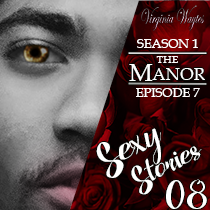
Sexy Stories 08 - The Manor s01e07 Sexual Tensions: Werewolf Distraction Techniques

There are lots of supernatural beings and magic and excitement, as well as plenty of sensual sexy times.

So the whole podcasting thing can be a bit confusing, as I found out, because there are many different ways to do things. For example where to host, how to get the best sound, how distribution works etc. So welcome to my second post about podcasting and here are some of the things I have picked up along the way.

I shared the equipment I use over at this post: The Joys of Podcasting: A Beginning so I won't go into that again. Suffice to say I am still using the same stuff.

However, podcasting has other trip wires I had not appreciated, but once we know they are there it is easy to skirt around them. Please be aware, I am no expert, this is a post about how I went about things.

#1 Create a Podcast Trailer

Some podcasting sites, including Apple allow us to create a trailer for our podcast. A trailer is just what is sounds like, a short introduction to our podcast, usually about 2-3 mins in length. This is really useful for several reasons:
  1. We want out podcast approved on streaming platforms before episode 1 goes live
    For example Apple takes a while to approve new podcasts - it can be anything from hours to a week - and there has to be at least one "episode" live for them to approve it. This means if we want our podcast to launch on Apple at the same time as it goes live everywhere else we need a valid episode before we actually launch. A trailer counts as a valid episode.
    Most other places take less time to approve, but it is still best to have the podcast live on other platforms before launch,
  2. A trailer gives us a chance to introduce our style and hook listeners before launch day. We're trying to interest people in our product just like movies do, so a trailer is a great idea to gather interest. If we are very lucky they might even subscribe to our podcast.
I use Podbean as my hosting site and it allows settings for an upload to let services know if an episode is a trailer or a full episode. I can only assume other hosts do the same, but you'd have to check.

#2 Where to Get a Podcast Seen

There are many streaming platforms where it is a good idea to make sure our podcasts are seen. These are the ones I use and also the articles I used to find out how to submit my feed to them:
Now these do not all update instantly when a new episode comes out. I tend to set my eps to go live at 1AM because then, usually by breakfast/commute time (which is when podcasts are often listened to when the world is normal) they tend to have percolated through. The one that is always not there is Apple Podcasts. Every week I log in to my console as soon a I get up and hit refresh on the feed - it then refreshes usually in under half an hour.

N.B. we MUST make sure our podcast season and episode numbers are set. If they aren't no matter how many times we hit refresh, the ep will not show up on Apple. One week I forgot to set them and the moment I figured it out I added them in and voila, everything worked.

This is not an exhaustive list of where to list our podcasts, but there are just sooo many and these are some of the biggest.

BTW - I made these little graphics for linking to the various sites on my VirginiaWaytes.com blog and anyone is most welcome to use them if they find them useful. They are all png and were created from various sizes of logo available online, just right click and save them.


#3 Make Sure to Tell Everyone About the Podcast on Social Media


This is an obvious one to most of us who have been trying to get out work out there in any way online, but I think it deserve reiterating. No matter how many podcast services our podcast is on, the best way to get the message out there is with our Twitter, Facebook and Instagram accounts, and our mailing lists.

When my podcast goes live it gets a handful of views before I get to social media. Then as I pimp it around the numbers start to jump up. All these sites have algorithms that boost podcasts, but they have a nasty habit of only boosting the ones that already have an audience, so we have to do all the hard graft on our own. C'est la vie in the world of the independent producer ๐Ÿ’–.

#4 Fantastic Advice from the Experts

There are many people out there who know more about this than me and many of them are very, very helpful.

Getting the Prefect Sound

There is a channel on Youtube with the most fantastic advice for all things audio run by a chap called Mike Russell. He has some wonderful videos which can help us take the sound of our podcast from good to great. This is my favourite vid of his:

I cannot express how good the advice in these vids is.

So Much Good Advice

Live365 has so many articles about so many different aspects of podcasting. It is so useful.

#5 Make a List


[Edit] I forgot to add this, but, if you like me forget things, make a list of what there is to do every time an episode goes live. Since I have made my list I have found it so much easier. Of course I have all the book things to do as well, but it never hurts to have a checklist ๐Ÿ˜ƒ.

~*~

And that's all I can think of at the moment. Podcasting is an ever expanding world, but I hope this might help a few people sift through the information overload that is out there. Best of luck if you are launching a podcast, drop me your links in the comments if you are. Let me know any useful bits of advice you have picked up along the way too. Thank you ๐Ÿ’–

Wednesday, 13 May 2020

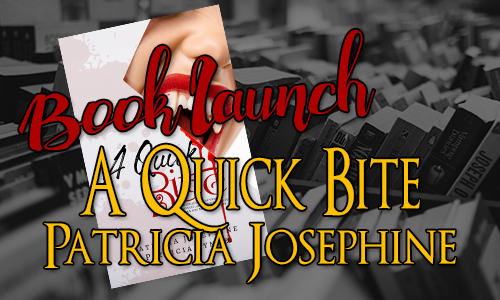
Guest Post - Patricia Josephine - A Quick Bite - Book Launch #WriterlyWednesday

Book Launch - A Quick Bite - Patiricia Josephine

Guest Post

Patricia Josephine - A Quick Bite - Book Launch

#WriterlyWednesday

It gives me great pleasure to welcome the lovely Patricia Josephine to my blog today, to talk about her new book, A Quick Bite, launched this week. If you, like me, love vampires and all things paranormal, this is a book for you.

However, before we get to that, I'll let Patricia introduce you to some real life vampires.


Three Real Life Vampires (or so they say.) 

by Patricia Josephine

Tales of vampires have fascinated humanity for centuries. Sometimes they are monsters, and other times, they are sexy, sparkling heroes. While most stories are complete fiction, here are three cases of so-called real vampires.

Mercy Brown.


Mercy Brown was a young woman who lived in New England around the 1900s. Disease spread to her family and the locals got the idea that that meant she was a vampire. After she died, her body was dug up to make sure she wasn’t a vampire. Her body hadn’t decomposed and they found fresh blood in her system, leading them to the conclusion that she was a vampire. They cut out her heart and burned, putting the ashes in a drink which was fed to her brother. They believed it would save him since he was sick. Sadly, it didn’t work.

Fritz Haarmann, The Vampire of Hanover


Fritz Haarmann was a German serial killer in the early 1900s. His method of killing was to bite the neck of his victims so they bled to death. That led to rumors of a real vampire prowling for victims. Of course, alleged cases of real vampires weren’t uncommon then, but they were usually baselss. Fritz Haarmann was eventually captures and executed.

Arnold Paole


Arnold Paole was a Serbian man who feel to his death in the early 18th century. A sad tragedy, but the story became remarkable because afterwards, local villagers stated he had become a vampire. Their proof: 16 villagers had died recently. His body was due up to be examined. They found no decomposition and claimed to have seen fresh blood on his lips. So they staked the body.

(Sources: http://eskify.com/10-alleged-cases-of-real-vampires/)
 

A Quick Bite


A Quick Bite by Patricia Josephine
Vampires.
Werewolves.
Zombies. 

These monsters tickle our imagination.

Sink your teeth into a collection of tales about paranormal creatures that go bump in the night. Each story is told in exactly 200 words and designed to give you a quick bite no matter how busy your day is. 

Are you hungry?

Buy Links: Amazon

About the Author


Patricia Josephine
Patricia Josephine is a writer of Urban Fantasy and Sci-Fi Romance books. She actually never set out to become a writer, and in fact, she was more interested in art and band in high school and college. Her dreams were of becoming an artist like Picasso. On a whim, she wrote down a story bouncing in her head for fun. That was the start of her writing journey, and she hasn't regretted a moment. When she's not writing, she's watching Doctor Who or reading about serial killers. She's an avid knitter. One can never have too much yarn. She writes Young Adult Paranormal, Science Fiction, and Fantasy under the name Patricia Lynne.

Patricia lives with her husband in Michigan, hopes one day to have what will resemble a small petting zoo, and has a fondness for dying her hair the colors of the rainbow.

Social Media Links:

Website: - https://www.patriciajosephine.com
PatreonTwitter - Facebook - NewsletterGoodreads - Amazon Author Page - Smashwords

Tuesday, 4 February 2020

Another new cover - Myriad Imaginings - Paperback

Myriad Imaginings Cover Reveal Banner

Another new cover - Myriad Imaginings - Paperback

So we've been meaning to get the Giveaway Games anthologies into paperback for a while now, but there had never been time to sit down and give it them the attention they deserve. However, that time has finally come.

Myriad Imaginings is going through a new re-edit, to make sure it is perfect and, of course, every book needs a cover.

As you may recall I redesigned all the covers for the Giveaway Games anthologies last year, so I have a great start to work from in creating the paperbacks.


Now the current book blurb is fine for eBook descriptions, but it wasn't right for the blurb on the back of an actual book, if you see what I mean, hence I had to rewrite that too.

However, it is done and I have what I think is an almost definite cover. Just waiting for some feedback from Soph, but this is likely to be it. What do you think?

Paperback cover for Myriad Imaginings by Natasha Duncan-Drake & Sophie Duncan - Woman staring out of a window at night.

The big space on the back at the bottom is where the barcode gets put BTW. Just in case you were wondering ๐Ÿ˜„.