Showing posts with label *Publishing: Indie. Show all posts

Thursday, 9 July 2020

Youtube Journey Part 2 - Adobe After Effects & InDesign - My Crash Course


Adobe After Effects and InDesign - My Crash Course

Youtube Journey Part 2

Adobe After Effects & InDesign

My Crash Course


I was going to do this yesterday for Writerly Wednesday, but I was distracted by making birthday cupcakes for a friend. So today it is!

Now I threw together a banner and a logo for the my shiny new YouTube channel, Tales With Tasha, in Photoshop pretty sharpish as soon as I set it up, but I knew doing anything for actual vids would be harder.

When I started out I knew two things:
  1. I didn't just want to film me reading things. I want part of each vid to be live action, but I remember the Disney page turning format very fondly and wanted something along those lines for the stories. Also helps with accessibility.
  2. I wanted a short little logo animation to segue from live action to the story.
My first thought was Adobe After Effects.

Of course, then I hit my first problem - I had never even opened After Effects before 😂. However, never let it be said that this has ever stopped me in the past. I taught myself how to use Photoshop using turtorials, how much harder could this be?

This is harder than I thought - From New Amsterdam

Okay, so maybe a bit harder 😎. The thing about After Effects is its for animators and people who understand film terms and I don't, well I've picked up a little now. Never fear, however, because the lovely creators of YouTube have wonderful channels with step by step tutorials on just about everything. I love them.

Endeavour 1 - My Page Turning Book

So I knew I wanted a book with pages that turn, and I found one plugin and several tutorials, but none of them were quite right. In the end this one popped up, thank heavens:


It also isn't quite right, but it does have all the elements I needed so that after following it I could figure out how to create what I wanted. It also allowed me to understand how everything goes together.

For example, I had no idea that when you import images, if you change them on the disc, they are changed in the animation too. This is a revelation to me, and I assume it is actually a setting, like importing the mp3 files into Audition etc.
  • Stage 1 - Follow Tutorial Exactly
  • Stage 2 - Tutorial pages turn backwards for some reason, so figure out how to make them turn forwards.
  • Stage 3 - Figure out how to create page content.
It was Stage 3 that was the hard part.

Page Content

First Idea - Photoshop:

  1. Create a base template
  2. Place text
  3. format text
  4. Rinse and repeat
Only problem - with 2K words per story, this was going to be slow!

Next Idea - InDesign


which I had also never used 😝.

2 most useful things about InDesign
  1. We can import a preformatted Word Doc and it will automatically paginate for us.
  2. We can export all pages as images.
This is the tutorial for I used to find out how to do #1 - Pretty Fabulous Designs has some great turtorials for doing all sorts of things.

The plan was growing! Mwuahahah!!!!

Gary Oldman as Dracula - Evil Laugh


Third Thought - Plain White Pages are Boring


I found some wonderful page textures on Unsplash.com by Annie Spratt. She also has some other fabulous photos, but it was the large number of textures I was after this time.

For this I did use Photohop, creating a template for left and right pages with shadows in the margin so it looks a little 3D. Not a lot 3D, but a little 😉

These can then be used as backgrounds for the pages in InDesign.


The End Result


Anyway, I played and fiddled and now have a format I can easily customise for each video. This is a very short demo to show what I mean.

I can customise everything I need to:
  • Background
  • Page content
  • Book style
  • Page turning interval
So it should do as a template.

The Plan

  1. Format the story to be animated in Word with the correct size font (I have to play with these anyway to get them ready for reading, so it's only a tiny little step more).
  2. Set up an InDesign layout with the background of choice depending on story content.
  3. Import Word file into InDesign.
  4. Add any extra formatting.
  5. Export pages to PNG
  6. Import into After Effects project and set pages to have the correct content.
  7. Use recording to set page turn intervals.
  8. Add pretty background behind the book to please YouTube's algorithm.

Endeavour 2 - My Animated Logo

This one was actually much simpler - I went through Youtube looking at tutorials, found one I liked and went with it.

This was the tutorial I chose in the end:

And here is what my animated logo looks like:


Now I just have to teach myself how to use After Effects in Premier Pro 😎.
Oh and actually film the bits and format all the stories I have planned etc, etc, etc ...

So, y'know, just a bit of stuff. 😂

How is everyone else doing? Any interesting projects going on? Do you have a YouTube channel?

Wednesday, 24 June 2020

My Shiny New Youtube Channel #WriterlyWednesdays


My Shiny New YouTube Channel


Now as I mentioned in last week's writerly Wednesday post, I have decided I need a Youtube channel. So I have been thinking about it all week and trying to plan, which involved a lot of watching Youtube vids on how to set up a Youtube channel etc. 😁
YouTube Logo


First of all I had to decide what I wanted to put on it and this is what I have come up with so far:
  • Story narration
  • Novel excerpt narration
  • Book trailers and other Wittegen Press news vids
Other suggestions of things you might like to see, gratefully accepted.

Then I made a list of all the content I already have to choose from, well actually I made a Google Sheet (so useful). Turns out I have over 100 sources to choose from. And that doesn't include the naughtier stories, which I can't put up because Youtube does not like adult content.

In all honesty I don't have a strategy completely worked out yet, but I am plotting.

Sherlock plotting with his fingers tapping in front of his mouth.

One thing I did decide is that my focus is going to be on the narration, with other things as additions, because I think that is what might bring in an audience. So I brainstormed for a Youtube channel name and came up with...

Drum Roll


Tales With Tasha

So far I have a channel art, an icon and 2 subscribers, both of whom are other accounts I own, but we all have to start somewhere, down't we 😎.

Next I need to come up with:
  • The about section
  • A plan of attack so I can get the content prepared.
Apparently I need 100 subscribers and have had the channel for 30 days before I can get my proper URL. 💖So if you feel like subscribing to a completely empty channel, that would be awesome - thank you.💖 I promise there will be content.

Do any of you have a YouTube channel? What content do you put on it? Any tips? Drop me a link so I can check it out.

New Release Day

Yesterday was new release day over at VirginiaWaytes.com (my alter ego) with:

Sexy Stories 12 - The Manor s01e12

Josh is gone, but there is still hope to find him, even with the pack bond occluded to be useless. His connection to Pippa may be the answer and she and Lucy must work together to launch a dangerous rescue mission.

Monday, 13 August 2018

Soul Reader - Cover Reveal


Soul Reader - Cover Reveal

So I am currently working on combining the Soul Reader series into a single book so I can publish it as a paperback. The stories are too short to work as cost effective individual books, so I'm putting them all together in one volume.

I'm on the proof with a red pen stage at the moment. That's what I shall be getting back to as soon as I hit publish on this :D.

I'm also working on finishing the 4th part to the series as well, but that's going to take a little longer.

So, new book means a new cover.

I spent most of the weekend on it. The original image is from pexels.com (best site for free images ever!) and is by a chap called Lalesh Aldarwish. He has some other fantastic images on there for free download too, so check him out.

From there I had some fun with the rule of thirds and the golden ratio and fire. I've just started using Illustrator as well as Photoshop and it's really good for text. Still learning, so it took me ages to get the title right, but there are many wonderful tutorials on Youtube, thank heavens.

Cover Reveal


Are you ready? I know you're on the edges of your seats, aren't you ;)

Two male figures in silhouette against a window, one with hand stretched out, fingers on fire. Title says Soul Reader Books 1-3
Soul Reader Books 1-3 All Rights Reserved
And here's how it will look in paperback:


Thank you for dropping by.

Do you have any favourite covers, either on your own books or on ones you have seen on the internet?


~*~
P.S. I was lucky enough to be asked to guest post on the blog of the lovely  Ronel Janse van Vuuren this last weekend. I wrote all about eBooks.

Thursday, 16 February 2017

Guest: Creating an Alien Werewolf by Patricia Josephine + Abducted Life NEW RELEASE


Please join me today in welcoming Patrica Josephine (aka the lovely Patricia Lynne) to my blog to talk about alien werewolves and he new book, Abducted Life, which launched this week.

Creating an Alien Werewolf

by Patricia Josephine

The dream I had that inspired Abducted Life was about a vampire trying to escape aliens. He had the cliché vampire traits like fangs, but for Abducted Life I wanted Savannah and Evan's looks to reflect the fact that aliens messed with their genetics to make them less human––especially in Evan's case. Not so much for Savannah. I had some ideas in mind and there were a couple real life creatures that really inspired me. (There's going to be talk of some animal anatomy, so I guess I should warn of mature content.)

In Abducted Life, there is a scene were I describe the alien creature Savannah has been spliced with. She sees a bipedal animal covered in white fur with a dog-like snout. The image I wanted to portray was that of a classical werewolf. Although, this one doesn't turn human when there's no full moon. I also describe a certain body part that my beta readers said grossed them out. (That was intentional.) I had in mind cats and the fact that male cats have barbs on their penises for that scene.

For the most part, Savannah's looks don't change. Her physical abilities and mannerisms are what's effected. She's faster and stronger, and gets the urge to procreate during the full moon. Another thing that she hasn't really noticed, and it's not in the story, is she's developed an appetite for meat and often takes her steaks at medium rate to rare. Before she wouldn't be caught dead eating something cooked below medium or bloody.

About the Book

Abducted Life 
by Patricia Joesphine

Savannah Janowitz’s perfect life was destroyed the night she and her boyfriend vanished without a trace. When she reappears a year later––alone––she’s a shell of her former self. Robbed of her popularity and her boyfriend, she has no memory of what happened to her. Savannah struggles to move forward as strange, new abilities manifest.

Evan Sullivan never gave extra-terrestrials much thought until the night he and Savannah were abducted. While Savannah’s memory was wiped clean, he remembers every horrific detail. Constantly reminded of the experiments that made him less than human, Evan hides in the shadows and watches Savannah rebuild her life without him. But neither can let the other go.

When their paths cross, Savannah and Evan finally see a glimmer of their old lives return. As they face what happened to them, they soon discover they aren’t safe. There’s more to fear than what’s hiding in the stars.

Available for 99cents at Amazon

About the Author

Patricia Josephine never set out to become a writer. In fact, she never considered it an option during high school and college. She was all about art. On a whim, she wrote down a story bouncing in her head. That was the start of it and she hasn't regretted a moment. She writes young adult under the name Patricia Lynne.

Patricia lives with her husband in Michigan, hopes one day to have what will resemble a small petting zoo, has a fondness for dying her hair the colors of the rainbow, and an obsession with Doctor Who.

Where to find Patricia online:

Tuesday, 20 September 2016

New Novel "Dead Before Dawn: The Vampire Curse" Now FREE on Wattpad


My new vampire novel, Dead Before Dawn: The Vampire Curse is finally ready for serialisation.

Ch 1 is now AVAILABLE FREE on Wattpad:

Dead Before Dawn: The Vampire Curse
Chapter 1: Cat and Mouse

Max Statton is in Moscow for the premier of his new movie when a terrifying encounter turns his life on its head. Attacked by one of the city's resident vampires, Max is bitten and infected. Only a team of local vampire hunters prevent him being dragged into the underworld of the undead.
Fighting for his very existence, Max must resist the vampire curse with the help of Yulia, the hunter's doctor. But with his humanity slipping away, Max only has two choices: ask the hunters to end it, or risk becoming a monster. His fame makes it dangerous to just kill him, but there may be no choice.
When Yulia offers him a kill or cure option, Max must decide if he has the courage to take it. He wants to go home, he wants to see his family and friends, but his life is poised on a knife edge.
(Male/Male Paranormal Romance, Mature Content)

All chapters are between 2K and 3K words and one will be posted each Tuesday and Friday.
If you wish to be notified via email whenever a new part comes out follow me on Wattpad and add the book to your library. Votes on story parts are also greatly appreciated - thank you (it helps the book up the rankings to be seen).

Wattpad is a social media site for posting fictional works. There are FREE apps for most operating systems as well as a web interface, so you can read straight on your phone and receive text updates when a new part is ready. If you follow me I can also send you messages, so I can tell you if anything new is happening.

Please LMK if you are on Wattpad and I will follow you back.

Sunday, 21 February 2016

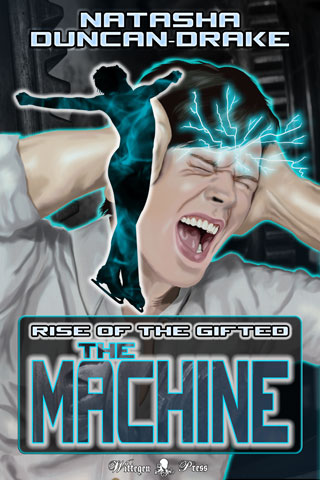
NEW RELEASE- The Machine: Rise of the Gifted #SciFi #Gay #Romance

The Machine: Rise of the Gifted

The Machine

Rise of the Gifted

by Natasha Duncan-Drake
Men in black aren't usually associated with figure skating, but when MiBs try to arrest men's champion Louis Hayes, his ex-rival Rafe Derouet finds out to his cost that telepathic x-files really do exist.

FREE 21st - 23rd Feb ONLY
(Starts 8am GMT- Midnight PST)
Smart Link to The Machine on Amazon

Rafe Derouet used to be a world class, British figure skater competing against his arch rival, flamboyant American Louis Hayes. A catastrophic knee injury ended his career and now all he can do is look on from the sidelines, commentating where he used to be a star. He hates Louis and wants nothing more than to see his nemesis go down in a blaze of failure.

Then mysterious men in black with guns take over a press meet, trying to arrest Louis, awakening something dangerous in their target, and setting in motion events they cannot control. Most shocking of all, Rafe finds out Louis can literally read his mind.

Dragged into a murky world of government agents and x-files by one of those x-files, Rafe finds his world view completely changing. And, along the way, his hatred for Louis proves to be something else entirely.

Now Rafe just needs to survive so he can decide what to do about it.

If you are kind enough to leave a review at Amazon I would like to give you a free short story sequel to say thank you. Please see the back of the book for details.

Excerpt (Listen or Read)


Rafe was in a hurry.

Whoever had had the idea to produce a US/Russian/Chinese special sporting event in celebration of the new economic treaty that was going through had to have been insane. There was figure skating and speed skating, long and short track, in the dual arena and athletics on the field and gymnastics in another arena down the road. It was as if someone had stuck pins in all the sports they thought the various countries were good at and then invited all the top athletes from the three countries to compete.

It was completely crazy and the whole world was watching, which was why Rafe was there reporting on it.

Given the current political climate, everyone was hoping sport could settle some of the latest rumblings. Rafe was waiting for it to all blow up in the organisers’ faces.

He had too many things to do and not enough time to do them, which was why he wasn’t really paying attention to his surroundings. The messages from his producer and his agent were far more important at the moment. If he had been giving thought to anything but texts he would have picked a different route.

“Well look who it isn’t,” said an all too familiar voice with an annoying American twang.

Not that Rafe found all American’s annoying, just this one in particular. He looked up from his phone to see Louis ‘pronounced the French way, darling’ Hayes less than three feet away.

Before he had fallen in the previous year’s world championships and shattered his knee, Rafe had been Louis’ arch rival on the ice. Competing for the UK in men’s figure skating, Rafe had spent the last few years swapping the number one spots in various competitions with Louis, but that was all over now. After eighteen months he could skate again, but he would never be able to compete at top level. These days he was doing TV shows and reporting for European sports channels and Louis was still glittering up the ice.

It made him want to knock Louis’ perfect teeth in with one of his skates all the more.

“Hayes,” he said and then realised that Louis was not alone.

Joy of joys, possibly his other least favourite person was standing next to Louis.

“And Voronov,” he added, wondering which deity he had pissed off to end up with both of them in the same place.

Voronov was a long distance speed skater for the Russians. Tall, blond and very much not sparkly, Voronov was an unlikely friend for a flamboyant American figure skater, but the pair had met at their first Olympics, hit it off and been firm friends ever since. Louis was something of a Russophile and had even been to Voronov’s wedding two years ago, which, given that Voronov was something of a state hero, had been quite a big deal. Louis was also one of the few allowed to call Voronov by a ridiculous nickname like they were in a club or something.

Rafe had met Voronov at the same time Louis had, only their relationship had started off more as instant dislike.

“You’re looking a little harassed there, Rafe,” Louis said, smiling sweetly.

The urge to deck the other man was strong. Rafe employed all of his skating will power not to do it.

“Places to be, important people to see,” he said, doing his best to get in a dig.

Of course he was all too aware Louis was much better at this game; Louis with his perfect hair and designer clothes and sycophantic fan base. It made Rafe grind his teeth.

“The competitors?” Voronov said, tone innocent, but Rafe couldn’t help it, he glared.

That stung.

There was nothing more in the world that he loved than the ice and it had been taken away from him. He honestly had no comeback.

Surprisingly he saw Louis dig his elbow into Voronov’s side. Maybe their antagonistic relationship did have lines. Once upon a time he and Louis had been friends and practice mates under the same coach, but then they had somehow become rivals. Rafe still wasn’t sure what had happened, but he had become the British poster boy for the international ice skating federation and Louis had become the American rebel with amazing talent.

“So, who are you commentating for this time?” Louis asked, clearly trying to be nice after Voronov’s below the belt shot.

That just rubbed Rafe completely up the wrong way.

“The BBC,” he said, digging his fingers into his palm to keep himself calm. “Now I’m late for a meeting, so I have to run.”

“Aren’t you co-commentating with the lovely Maria Hessle?” Louis said before Rafe could get away.

“Yes,” Rafe replied, doing his best not to grind his teeth and damning the polite genes his family had handed down.

“I’m sure I read somewhere that you and she were an item,” Louis said, “how’s that going for you?”

Louis’ expression was completely innocent, but Rafe wasn’t fooled, it was yet another dig. When they had been friends there may have been some adolescent fumbling between them and Louis was well aware Rafe’s tastes ran more to the male than the female: yet another bone of contention between them, what with Louis being out and proud and Rafe being firmly in the closet.

“You of all people should know not to believe everything you read,” Rafe said, as sweetly as he could manage.

The one thing he had to be utterly thankful for was that Louis was not the kind to out anyone, not even an ex-rival. Louis had had to defend his own sexuality so much, even before being officially out, technically, that Louis had the integrity not to do that to someone else. Didn’t stop all the digs though.

“Maria is happily attached to a Polish plumber from Chiswick,” he added, because he couldn’t help trying to rub Louis’ nose in the ridiculousness of tabloid reporting.

Of course it didn’t work, Louis just smiled.

“I find it always pays to check,” Louis said.

Every time they met it was the same with the subtle poking at his weakest points. And it galled Rafe to realise that he only understood his own sexuality so well because of Louis Hayes. He had done quite a bit of self examination over the years.

“Well, I really must go,” he said.

Louis clearly wanted to continue the conversation, but Rafe wasn’t sticking around to find out what for. The last thing his career needed was a headline about him trying to kill an American citizen on American soil.
~*~
Rafe was hovering, waiting for the next skater to come along for the press meet. It was currently Louis’ turn. He was supposed to have been interviewing everyone, but even his producer realised that asking him to interview Louis Hayes was a bad idea, hence his co-host, Maria, was doing it. He was in line to talk to the next skater in.

If Louis won things Rafe would have to bite the bullet, since he was the lead interviewer this time round. At least he could be thankful that it had turned out he was good as a celebrity commentator. However, these were just preliminary chats for sound bites, so he could get away with leaving it to Maria.

“Sorry, Ladies and Gentlemen,” a member of the event security team walked up to the gathering, “I’m going to have to ask you to move to a new area. This one is needed for warm up.”

That sounded odd to Rafe, because he was pretty sure no one was due on the ice yet today and he hung back. Louis looked equally put out, which was actually kind of funny. Rafe guessed Louis was bitching to his agent, who patted him on the shoulder, and followed the gaggle of press out as Louis went to make for the locker rooms. Rafe couldn’t resist stepping towards his ex-rival, just to see if he could get an annoyed sound bite. Those he was actually quite good at when it came to Louis.

Louis was trying to find something in his huge, oversized bag, by the looks of things, so Rafe waited for his chance. However, it never came. As soon as the press were out of sight men in black Kevlar appeared from several different places with guns. The truly bizarre thing was that they all seemed to be pointed at Louis.

“Nobody move,” was the shouted order and Rafe froze.

It was difficult for Rafe to believe what he was seeing and, if his face was anything to go by, Louis was just as shocked. Louis raised his hands, staring at the men in black with guns, clearly terrified. Frankly if there was anyone less likely to need a gun pointed at them Rafe had never met them.

“What’s going on?” Louis asked, sounding as confused and petrified as he looked.

“Don’t move,” was the only response and then a woman appeared.

The way Louis’ eyes opened slightly and a frown of confusion appeared on his face, replacing the complete shock, Rafe guessed Louis knew her…
FREE 21st - 23rd Feb ONLY
Smart Link to The Machine on Amazon

Monday, 8 February 2016

I am seeking pre-release reviewers for my new book to post during the launch week which starts on 21st Feb 2016. When you boil it down the new book is gay romance with telepathic figure skaters, so if you like that sort of thing, this is the book for you :).

I can provide an ARC of the book in PDF, Kindle (mobi) or ePub.

There was an earlier version of the story published as part of the giveaway games anthologies, but this one has been re-polished and it has grown by a third, so it is a lot different to the original. If you think you've already read it, you haven't :).

This will be an Amazon only launch (have finally caved and am trying out a new system) so the reviews would need to go there, thank you.

You can drop a comment with an email where I can contact you or drop me a line via the contact form in the left side margin and I will get back to you.

Many thanks to anyone who is interested.

The Machine - Rise of the Gifted by Natasha Duncan-Drake
Title: The Machine (Rise of the Gifted)
Author: Natasha Duncan-Drake
Rating: PG13
Genre: Contemporary SciFi, Romance, Gay
Length: novella (22.5K)

Rafe Derouet used to be a world class, British figure skater competing against his arch rival, flamboyant American Louis Hayes. A catastrophic knee injury ended his career and now all he can do is look on from the sidelines, commentating where he used to be a star. He hates Louis and wants nothing more than to see his nemesis go down in a blaze of failure.

Then mysterious men in black with guns take over a press meet, trying to arrest Louis, awakening something dangerous in their target, and setting in motion events they cannot control. Most shocking of all, Rafe finds out Louis can literally read his mind.

Dragged into a murky world of government agents and x-files by one of those x-files, Rafe finds his world view completely changing. And, along the way, his hatred for Louis proves to be something else entirely.

Now Rafe just needs to survive so he can decide what to do about it.


If you are interested in being a pre-release reviewer for other Wittegen Press books as well, we have a reviewer pool mailing list. Simply fill in this form at the link below to apply and we will add you to the list.

Wednesday, 16 December 2015

Seeking Pre-Release Reviewers for eBooks


Seeking Pre-Release Reviewers for eBooks

If you are here for Writerly Wednesday, today's post is a guest interview with the lovely Dorothy Massey and may be found here.

So Sophie and I are currently looking for people who would be willing to be pre-release reviewers for Wittegen Press. Before you click on to another page, this involves FREE books :).

We are seeking individuals who would be willing to read and give honest reviews of advanced copies (ARCs) of our books prior to general release. If you would be interested please:
  1. Fill in the Google Form at the bottom of this post.
  2. If you are accepted we will then add you to the Wittegen Press Reviewers mailing list.
Don't worry, people on the mailing list will NOT be expected to review all books. We totally understand that there are times when we all do not have time to drop everything to read a book or a particular book may not be within our genres of choice.

The system for reviewing will be as follows:
  1. An email will be sent to the Wittegen Press Reviewers list with details of the book to be reviewed.
  2. Those interested in reviewing it will respond by filling in a Google form for that book.
  3. We will select a group of reviewers from the pool.
  4. Those selected will be sent an ARC of the book in their format of choice with the proviso they will read it within a certain time, which will be stipulated with each book.
  5. If we have more reviewers than required, those not selected in that particular instance will be notified.
  6. Individuals will then give an honest review of the book at Amazon and any other places they frequent on the web.
Many thanks to all those who are interested.

Tuesday, 13 October 2015

Extra Tips I Learned When Reformatting Two of My eBooks #TipsTuesdays 9


So I have been re-formatting a couple of my books over the last week because I am changing the cover and took the opportunity to give them another going over. You never know if there might be something you can improve after all :). I've also imported them all into yWriter so I now have a single point master text.

While doing this there were a couple of things I discovered that are not in my post Checklist for Creating the eBook from Your Beautifully Edited Novel so I decided to make a post about them today.

Extra Tips I Learned When Reformatting Two of My eBooks
Wittegen Press
$6.79 | £5.69
Amazon | Other
  1. When exporting from yWriter, RTF is the best format and most useful output. Plain text puts unwanted tags in the output and I don't want the HTML yet.
  2. Always copy and paste the content of the RTF file into a text editor (I recommend PSPad) before opening a clean document with the template you usually use for formatting your eBook documents and copy and pasting the clean text from the text editor. Converting the RTF file in Word can have a weird effect on your styles so it's best to start from just plain text.
  3. Do the Kindle Word document first because it uses the inbuilt table of contents.
  4. To do the Smashwords version of the file:
    1. copy the Kindle version of the file
    2. Change the one page in your front matter that is Kindle specific to be Smashwords specific.
    3. Copy and paste the table of contents into a text program (Notepad or PSPad)
    4. Delete the page numbers after every chapter entry
    5. Delete the table of contents in the Word Document
    6. Copy and paste the table of contents entries from the text program and now you don't have to type out all your chapter headings again.
    7. Now just follow the instructions in the Smashwords Style Guide to link up the table of contents and your chapter headings before checking for excess bookmarks.
Hope this is useful to someone :). They are just a few things I realised as I went along, that save time, and we can all do with more of that. Everything else I did was the same as the previous blog post tips.


Still pimping out the Share a Scare Halloween Blog Hop. It will run on the 31st October as you would expect, but now is the time to sign up.

Have something a little bit scary to share? All bloggers, authors and artists welcome. Just click the link to see all the details:


And here's another wonderful blog hop all you authors might be interested in. The Trick-or-Treat blog hop is run by the lovely Patricia Lynne and the idea is to give away free books to trick-or-treaters visiting your blog.

Tuesday, 8 September 2015

Finally Found Some Wonderful Novel Writing Software I Like - yWriter - #TipsTuesdays 6


I suppose technically this could be for Writerly Wednesdays as well, but it's a tip, so I decided to put it here instead for Tips Tuesdays 6 :). I'm probably very late to the game, but I just discovered yWriter for Windows.

Finally Found Some Wonderful Novel Writing Software I Like
yWriter

I have never found any novel assistance software I really liked ... until now. Either the software didn't do what I wanted it to, or it was difficult to figure out, or it simply didn't suit the way my brain works. Well yesterday that finally changed :).

I was searching for current novel writing software for a friend and up popped yWriter. It is totally FREE unless you choose to register it and give the developer some cash - the unregistered version has all the features of the registered version, registering just shows your support.
It is written by a computer programmer and designer (Simon Haynes - who is also a sci-fi author) which is probably why my brain likes it :).

I did run into a couple of bugs, for example, after I installed it, it would start, but none of the character, location or item adding screens would work until I rebooted. Also on the storyboard screen I'm not sure if I'm supposed to be able to move the scenes around, but I can and when I click on one the storyboard vanishes making it rather difficult to figure out where to put it :). However, these little problems are dwarfed by the wonderful things it does do.

Wittegen Press
$6.79 | £5.69
Amazon | Other
Mainly it can organise the mess my brain is when creating a novel! It's modular, with the scene as the lowest element.

It has just helped me organise my current WiP into chapters and scenes with ease. It allows me to see word counts and titles and makes putting everything in order so very, very easy.

The built in RTF editor is a bit basic, but it's good for making small tweaks and if you like editors with no frills, it would be perfect for you. It also saves scenes in incremental backups so you can't completely screw up and lose everything. However, I can't live without the features Word gives me, like auto-correct ;), and you can use that instead. It doesn't give you the backup then, but I can live with that.

There are manual backup facilities as well so you can backup an entire project anyway.

Organisation and the ability to use Word to do the typing - I am so there! :)

I especially like that you can set different scenes to different statuses - Outline, Draft, Ist Edit, 2nd Edit and Done. This means I can tell what I have to work on at a glance without putting - "need to finish" in the title or something like that.

It also exports to HTML and RTF and Plain Text and more and I simply recorded a macro in Word to convert the simple RTF into my usual Word Manuscipt format.

So far I love it for some many reasons:
Wittegen Press
$3.29 | £2.19
Amazon | Other
  • Easy to use
  • Very clear layout
  • So easy to rearrange scenes
  • Scene statuses
  • Outside editor use
  • Backups
  • Word counts
  • Word count logs of progress
  • Word count targets

Do you use any novel writing software? Would you recommend it? If not, what do you use instead? I have simply been using Word and Excel in the past.

Still pimping out the Share a Scare Halloween Blog Hop. It will run on the 31st October as you would expect, but now is the time to sign up.

Have something a little bit scary to share? All bloggers, authors and artists welcome. Just click the link to see all the details:


Tuesday, 1 September 2015

ePub - The Easy Way - #TipsTuesdays 5


Wittegen Press
$2.99 | £1.99
Amazon | Other
So last week I talked about converting your edited novel for Amazon and Smashwords (Checklist for Creating the eBooks from your Beautifully Edited Novel), today I am going to talk about Google and the dreaded ePub.

Tips Tuesdays, is a weekly blog feature where I impart tips on anything that crosses my mind :). There will be recipes, book/film/TV recs (not full reviews, those are for another day), things I discovered by accident, links to websites, basically anything and everything that might be useful.

ePub - The Easy Way

Now ePub is a very versatile format and can be used to do all sorts of amazing things, but, as I said in last week's post, if you are publishing a novel it is good to keep is simple. If you don't need it, don't put it in and you will be more likely to end up with a document compatible with all eReaders that take that particular format.

I'm going to tell you two possible ways of creating ePubs rather than starting from scratch. The first is the easiest, but if you end up with any issues using that method, the second has worked flawlessly for me for years (or at least the same technique, only creating simple HTML from scratch - you'll see what I mean when you get there :)).

You will need the following pieces of free software for both methods:
ePub via Docx and Calibre

Calibre now has a fantastic ePub converter and editor included within it. It always used to be good at converting from certain formats to certain formats, but recently it has really upped its game. This is by far the easiest method of creating an ePub.
  1. Take your nicely formatted docx you created for Amazon.
  2. Edit the front information to indicate it is the Google version (ISBN etc).
  3. Load it in to Calibre using the "Add Book" option.
  4. Click the convert book option and open the dialog.
  5. Choose ePub as the output format.
  6. Browse for your cover image using the button under "Change cover image:"
  7. Make sure the Author, Publisher, Tags and Series fields have the correct information in them.
  8. Fill in the description in the last box on the right under the book version no (has two tabs, normal view and html Source.
  9. Click on ePub Output in the left menu (9th one down) and make sure "Preserve cover aspect ratio" is ticked.
  10. Click OK and the conversion will start (when it returns you to the main screen you will see a little message in the bottom right (jobs: 1 with a little whirly symbol). When this goes back to jobs: 0 your conversion is complete.
  11. Save the ePub to disc using the "Save only ePub format to disk in a single directory" option from the "Save to disc" menu.
  12. Run ePubCheck on your ePub to make sure there are no errors with the structure.
  13. Open the file with your ePub reader and go through it to check for:
    • formatting errors
    • missing links
    • incorrect links
    • missing images
    • any other mistakes.
ePub via HTML, Mobi and Calibre

Wittegen Press
$2.99 | £1.99
Amazon | Other
You'll need two extra FREE pieces of software for this method:
That HTML version of your book you download from Amazon - this is where is comes in handy. If you didn't download it, don't worry, just go back to KDP bookshelf, click on your book, go down to the bottom of the page that loads and the option is still there to download it. Then click back to return to your bookshelf so you don't republish the book.
  1. Go to where the zip file of the HTML is stored and extract it (make sure to extract into a directory so the files aren't muddled with any others).
  2. Click into the new directory and then into the html directory inside that.
  3. Edit the name of the HTML file to something sensible (the name of the book is a good one :)).
  4. Open the html file with your HTML editor.
  5. Remove the line "<meta name="generator" content="Amazon.com" />" since it will no longer be the file generated at Amazon.
  6. Edit the front content to note that the book is the Google version (ISBN etc)
  7. Remove the Table of Contents (you will add it back in later using Mobipocket Creator)
  8. Find every <a href="#TOC"> tag and remove it (do not forget the remove the associated </a> tag as well). If you miss this step it will cause errors in Mobipocket creator later.
  9. Find the first chapter heading.
  10. Add in class="chapter" to the paragraph (<p>) tag. If your chapter headings have a unique style you can simple search and replace the whole paragraph tag with a copy of it with class="chapter" inserted. e.g. replace
    <p style="margin:2.52% 0.00% 1.68%; text-align:center; page-break-before:always">
    with
    <p style="margin:2.52% 0.00% 1.68%; text-align:center; page-break-before:always" class="chapter">
  11. If you didn't search and replace, repeat steps 9 and 10 for all the chapter headings.
  12. If your chapter headings are formatted like links because they used to link back to the TOC it's a good idea to edit the style to remove the link colour and the underline. It looks better.
  13. Save the file.
  14. Open Mobipocket creator and choose the HTML option under import.
  15. Choose your edited HTML file and click import.
  16. Click on Cover Image in the left menu and use the Add a cover image button to add your cover image in (remember to hit the update button at the bottom of the tab once you have loaded the image).
  17. Go to the table of contents menu option
  18. Click add Table of contents and fill in the following options for the First Level:
    Tag name = p,
    Attribute = class,
    Value = chapter
  19. Click Update
  20. Go to the Metadata menu option
  21. Fill in all the details for the book and click update at the bottom of the page.
  22. Click save.
  23. Open the containing folder for you work (if you click on files at the top it will tell you where your base folder is).
  24. Go to the folder where you unzipped the html from Amazon and go into the image folder.
  25. Copy all the images except for the main cover.
  26. Go to the folder Mobipocket created, go up one and create a folder called image (you only have to do this the first time you use this method).
  27. Paste the images you have copied into this directory.
  28. Go to where you store your cover images and copy the file you added in as the cover in Mobipocket.
  29. Paste this file into the book folder created by Mobipocket (not the image folder).
  30. Go back to Mobipocket and click Build - choose "No Compression" and "No encryption".
  31. If you get warnings you've probably put the image files in the wrong places - just check to see where it says it's looking for the image files in the warning message and then put them there. I always get it wrong at least once :). Then hit build again.
  32. Once you have built with no warnings or errors preview the file with Mobipocket Reader and check all the links and the formatting. 
  33. If you see any errors, edit the HTML files to correct them (you could probably wait and edit the actual ePub using Calibre, but I always think it's best to go from source).
  34. Then go to files, highlight the HTML file and delete it.
  35. Then add the new HTML file in using the Add File option.
  36. Recreate the Table of Contents.
  37. Rebuild the book.
  38. Once you are error free you will have a working .prc file in the book directory that Mobipocket created.
  39. Open Calibre and add this file using the Add books option.
  40. Wittegen Press
    $3.29 | £2.19
    Amazon | Other
  41. Click the convert book option and open the dialog.
  42. Choose ePub as the output format.
  43. Make sure the Author, Publisher, Tags, Series and description fields have the correct information in them.
  44. Click on ePub Output in the left menu (9th one down) and make sure "Preserve cover aspect ratio" os ticked.
  45. Click OK and the conversion will start (when it returns you to the main screen you will see a little message in the bottom right (jobs: 1 with a little whirly symbol). When this goes back to jobs: 0 your conversion is complete.
  46. Save the ePub to disc using the "Save only ePub format to disk in a single directory" option from the "Save to disc" menu.
  47. Run ePubCheck on your ePub to make sure there are no errors with the structure.
  48. Open the file with your ePub reader and go through it to check for:
    • formatting errors
    • missing links
    • incorrect links
    • missing images
    • any other mistakes. 
You now have an ePub file ready for upload to Google.

I hope this is a help to some people - I know when I first started this whole eBook thing I had no clue where to begin :).

Do you publish using ePub? What method do you use? Having seen the options, do you think you will use ePub in the future?

If you are a reader, do you ever download the ePub format?

Wednesday, 26 August 2015

Reviews - Can't Live Without Them - #WriterlyWednesdays 5


Wittegen Press
$3.29 | £2.19
Amazon | Other
I do have another lovely author who has completed an interview, but I am saving her for next week, so today for Writerly Wednesdays 5 you are saddled with me prattling on again :). However, before we get into today's post I would just like you to point at yesterdays Tips Tuesdays 4 because it's writerly too and might be of use (Checklist for Creating the eBook from your Beautifully Edited Novel).

Now onto my chosen subject today: reviews.


Reviews - Can't Live Without Them

I read a good article today from The Masquerade Crew (My favorite kind of book reviewer - Don't be a narrow-minded reviewer) about reviews that got me thinking about them too.

For an Author reviews can be amazingly uplifting or totally soul destroying and occasionally somewhere in between. 
I have seen it said that you should never read reviews about your own work, but I know very few who can resist. Sometimes there are good reviews, sometimes there are bad reviews, sometimes there are middling reviews and sometimes there are reviews that just make you go 'huh?!' (and yes, sometimes the exclamation mark is necessary).

There is only one hard and fast rule I believe all authors should stick to when dealing with reviews:
Never respond to them.
A review may make your blood boil, you may disagree completely with what the reviewer has said, but do not give into the temptation to respond. No matter the outcome, you will come off looking worse than if you said nothing.

If it is an abusive review, contact the site where it is hosted and take it up with them in private if you have to, but it probably isn't worth the effort. Even bad reviews can get you readers because if it is an unfounded, nasty review, readers can usually tell.

I have a revenge review on one of my books and I could probably get it taken down, since it is obvious that someone just posted it out of spite and has never read the book, but I haven't done so and I did not respond to it. There was no point. Arguing with a reviewer tends to make both look silly. All you have to do is take Anne Rice as an example. When she went off on one on Amazon because reviewers dared dislike one of her books she made herself look ridiculous.

Bad reviews happen even to great books because not everyone likes the same thing. Take a breath, move on and be done with it.

I know, a few bad words hurt more than any praise can lift you up. Just remember:
A review is only an OPINION.

Wittegen Press
$2.99 | £1.99
Amazon | Other
As I have mentioned before, I come from a fanfic background and that was an absolutely wonderful place because reviewers would comment and tell me what they liked as well as telling me how I could improve. Every time I was given advice I had to bite my tongue and calm down before I realised they were right :) and it was so very useful. Constructive criticism can be painful, but it is also very, very good for you. Learning to tell the difference between what is good advice and what is just a point of view is the key.

In the modern era of book sales it is impossible to live without reviews. Reviews literally sell books. Hence I will leave you with one request. If you read a book and you like it, please consider taking a few minutes to review it; it means so much to the author.

Thank you for reading.

Do you review books? How do you go about it? If you're an author, do you read your reviews or avoid them like the plague?

Tuesday, 25 August 2015

Checklist for Creating the eBook from your Beautifully Edited Novel - #TipsTuesdays 4


I write, format and sell eBooks, so I thought for #TipsTuesdays 4 I would pass on a few words of wisdom, since I just discovered Amazon now have a free Kindle book to tell you how to format eBooks for them.

Tips Tuesdays, is a weekly blog feature where I impart tips on anything that crosses my mind :). There will be recipes, book/film/TV recs (not full reviews, those are for another day), things I discovered by accident, links to websites, basically anything and everything that might be useful.

Checklist for Creating the eBooks from your Beautifully Edited Novel

So you have a manuscript of your hard crafted, beautifully edited novel, but now you need to get it out there for everyone to see and buy. These are the things I try to remember to go through once the writing part is finished.
Wittegen Press
$0.99 | £0.99
Amazon | Other
  1. Think of a title that connects with the genre of your book, but isn't too generic
    Titles are hard, but they are important, especially with the growing eBook market. I still have one book that I'm going to re-Title for the second time because I don't think it's quite right yet and isn't grabbing readers (no matter how many books you've published, sometimes you miss). With famous authors their books sell no matter the titles, for those of us trying to make names for ourselves the title needs to sell the book.
    ~*~
  2. Create, buy or beg for a decent cover
    A cover is very important for a book. At a glance it should give the reader a big hint as to what kind of book they are looking at and entice them in.

    If you have no experience with graphics I would strongly suggest either:
    • hiring someone to make a cover - there are plenty of graphic artists out there willing to create you a cover for a reasonable fee (check with other indie authors to see who they recommend).
    • beg a friend who is good with graphics to do the cover for you.

    There are many things to take into consideration when creating a cover, which is a post all by itself, hence the advice above. A cover that looks like it was put together in Microsoft Paint circa 1990 will not win you customers.

    Also remember that different eBook sites recommend different cover ratios and sizes, so make sure to check before you upload. Smashwords requirements | Amazon Requirements
    ~*~
  3. Download these two FREE eBooks:
    These two books tell you the best ways to format your Word documents to upload them to the two platforms. Both are very useful even if you are not using their specific site.
    ~*~
  4. Create a New Document
    Do not edit your finished manuscript file. This file is your content master and should be kept safe, untouched and backed up. There are two very good reasons not to use this file for your eBook creation:
    1. You do not want to lose any of your novel because you accidentally deleted it from the master and don't have it anywhere else.
    2. Word documents gather more eccentric additions the longer they are around and sometimes you can't see them. Starting from a new document will save you hassle later.
    ~*~
  5. Copy everything from your manuscript file and paste it into a plain text editing package.
    The following three are good FREE examples:
    1. Notepad (comes with Windows - I use this a lot because it is quick easy and basic)
    2. Textpad
    3. PSPad editor (I also have this one in case I actually want to edit things easily - it's very good for editing HTML later)
    ~*~
  6. Copy everything from the text editor and paste it into your new word document
    This will remove hidden special characters and all formatting so you are staring fresh.
    ~*~
  7. Follow one of the Style Guides you downloaded in section 2 to format your manuscript
    I kid you not - they are both very well laid out and explain a great deal. The Amazon Building You Book For Kindle is a bit more basic in some ways as far as front content goes, but it does give you a starting point. I would suggest looking in the front of other books to see what works best.

    Keep it simple - eBook formats are becoming more and more complex, but if you don't need it, I would suggest you don't try and put it in. Novels do not require complex formatting, which makes life much easier for you - do not over complicate it. The simpler the layout, the more likely it will be compatible with all eReaders, new and old.
    ~*~
  8. Wittegen Press
    FREE
    Amazon | Other
  9. Keep everything organised
    I can't stress how important this is, because it is so easy to lose things, or become confused. I have a standard directory structure for every book:
    • Main Directory - master .docx files
    • Sub Directories -
      • for Amazon (Word document(s) and the filtered HTML specified in the style guide)
      • for Smashwords (Word document(s))
      • for Google (ePub - we'll get to that in a minute)
      • from Amazon (download files from Amazon after KDP conversion - I'll explain in a moment)
      • from Smashwords (all converted files from Smashwords - I'll explain in a moment)

    You don't have to use the same layout as me, but if you are creating books for more than one platform, it really does help to keep them in separate, well labelled directories so you never get confused. I also always number my files, so the first one is filename_v1 and if I re-edit later to re-upload I copy the previous version, up the version number (e.g. filename_v2) and edit that. If you have version control software and know how to use it, it can do this for you - I don't have that on my PC.
    ~*~
  10. Write a good blurb
    The cover will catch a reader's eye, the blurb will make them check out the book. THIS IS REALLY HARD.

    There are whole books written on how to write a good blurb for your book - I suggest asking Google to recommend some sites that talk about it and going through several of them (many say the same thing, but in slightly different ways) and getting it clear in your mind before you start. This is an example that was first when I asked Google: The dos and don'ts of writing a blurb for your novel.

    Sorry I can't be more specific, but, things change so fast and asking Google and checking what people think right at this moment it always a good idea.
    ~*~
  11. Come up with a subtitle for your book that slams home the genre
    I've seen it said in some places that novels should not have subtitles - but they can be very useful on Amazon and other eBook sites. On Amazon especially they help to give extra visibility to your book. If you are going to use the subtitle on the book at Smashwords you must make sure the subtitle is on the cover or they will not accept it. So far Amazon don't care if it's on your cover or not, but it never hurts to make sure.
    ~*~
  12. Think about your back of book content
    The end of your novel is not necessarily the end of your book. The back of the book can be used for several things:
    • Telling the reader a bit about you, the author, with links to find you on social media (don't make this too long - think inside of jacket content on hard back books)
    • Advertising other books you have written
    • Offering incentives to review the book/join your mailing list
    • etc.

     Don't let your readers get away from you ;)
    ~*~
  13. Wittegen Press
    $0.99 | £0.99
    Amazon | Other
  14. Decide on your book price
    There is a lot of debate about what is a good price for an eBook and different places will tell you different things. I use the following, but it is a good idea to do your research for your own genre:
    • $2.99 - $3.29 for a novel/ longer anthology (at Amazon this gives a much better return because you get 70% of the income for the book, which starts at $2.99)
    • $1.99 for a novella/short anthology
    • $0.99 for novelettes/short stories (you only get 35% for these at Amazon, but they often sell well - starting a series with a cheaper short story can attract new readers)
    ~*~
  15. If using Amazon KDP - upload to their server (https://kdp.amazon.com/)
    This is a good page of help information to start with: Enter Book Information
    When you have uploaded your cover and your manuscript file you are offered three options at the bottom of the page before the save and continue button:
    • Download Book Preview File
    • Download HTML
    • Download Previewer (Windows | Mac)
    If it is your first time using KDP or a new Kindle came out recently, download the previewer.

    Every time you upload a book, always download the Book Preview File and the HTML - both are very useful. If you forget and hit publish, you have to wait until the book has gone live before you can get at them again.
    ~*~
  16. Check your book using the Online Previewer
    Go through your book checking all the chapter links and  make sure your formatting has converted correctly. Especially look for anywhere you have not simply used standard text.
    Mistakes happen and sometimes the conversion cocks up for no obvious reason - checking your book will save you embarrassment later.
    ~*~
  17. Check your book offline using the Previewer you downloaded
    The downloadable previewer will allow you to check your book in different versions of Kindle - if you have checked it properly in the Online Previewer then this shouldn't take too long, but it's always good to check.
    ~*~
  18. Finish the publishing steps on the next page of KDP, inputing price etc.
    ~*~
    Ignore this next section if you are not using Smashwords
  19. If using Smashwords upload your book at the Publish page (http://www.smashwords.com/upload)
    Once it has converted, download all versions of the book from the book page (you will be shown a link when you have uploaded you book) just in case you might need them later. ePub is the most important one.
    ~*~
  20. Check the ePub version of the book using some ePub reading software
    I use Bluefire Reader to do this.
    The most important part to check as far as Smashwords are concerned is the "Contents", which ePubs offer as a separate menu, because if your Word file has not converted properly this will not show up correctly.

    Also check for conversion/formatting errors as you did with Amazon.
    ~*~
  21. Pray you didn't miss anything and the book will go straight to the Premium catalogue on Smashwords and be sent to all the other eBook companies.
    ~*~
    If you are using Google and need an ePub file, check back next week to see what I think is the easiest way to create one.
So, there you have it, all the things I try to remember when creating a new eBook for Amazon and Smashwords. This is by no means everything you need to think about, but this is what I always make sure to do.

Do you have any questions? Please feel free to ask - if I know the answer I will be happy to reply.